

For the student
Study time
every day.
Students use OLOtutor mostly from their phone, in class and at home. Every day they find what to review, practise with quizzes, and on submission they see which answers they really knew and which they guessed.
scroll: Elena’s phone changes screen →
The screens come from the real platform, used by a test class with made-up names.
01
What to do today
The level, the course to pick up, the cards and the homework of the day.
02
Review
The cards born from mistakes, one at a time.
03
In the room
The assignment, the raised hand, «Are we on track?».
04
Their progress
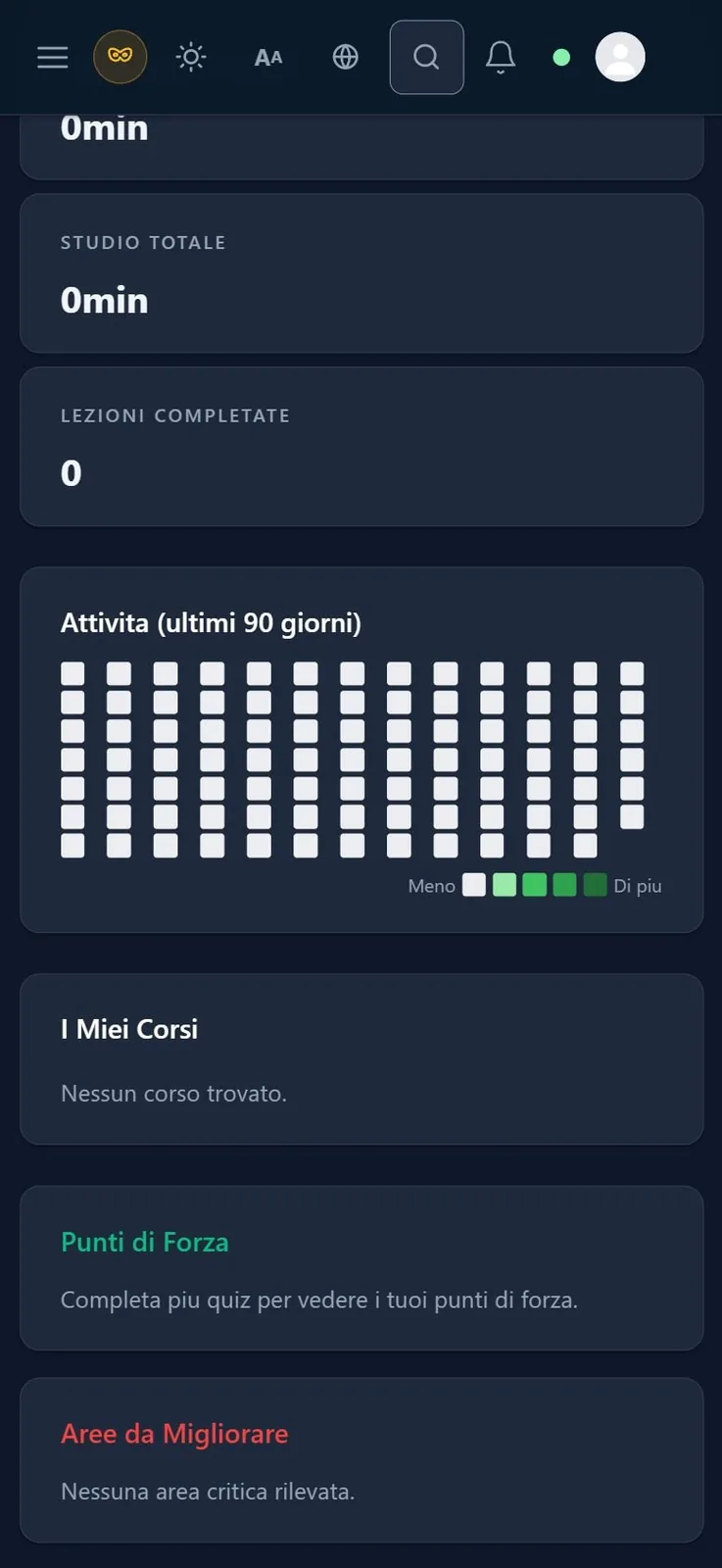
Study time, completed lessons, strengths.
The home screen
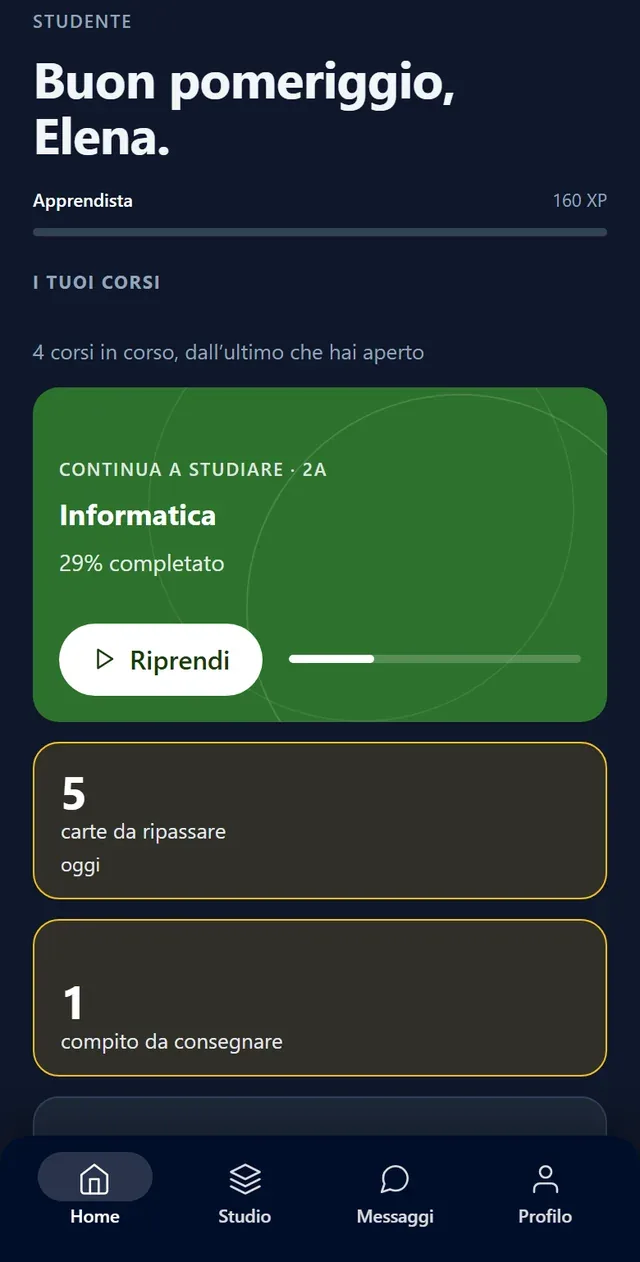
What to do today
The first screen shows the level reached, the course to pick up and up to 3 useful numbers:
a number at zero doesn’t show: with no cards to review, the cards box isn’t there.
When the teacher opens the classroom, a button to join appears at the top, and below are the month’s calendar and the latest announcement. From the Calendar screen, students can bring lessons and homework deadlines into Google Calendar, Outlook or their phone.
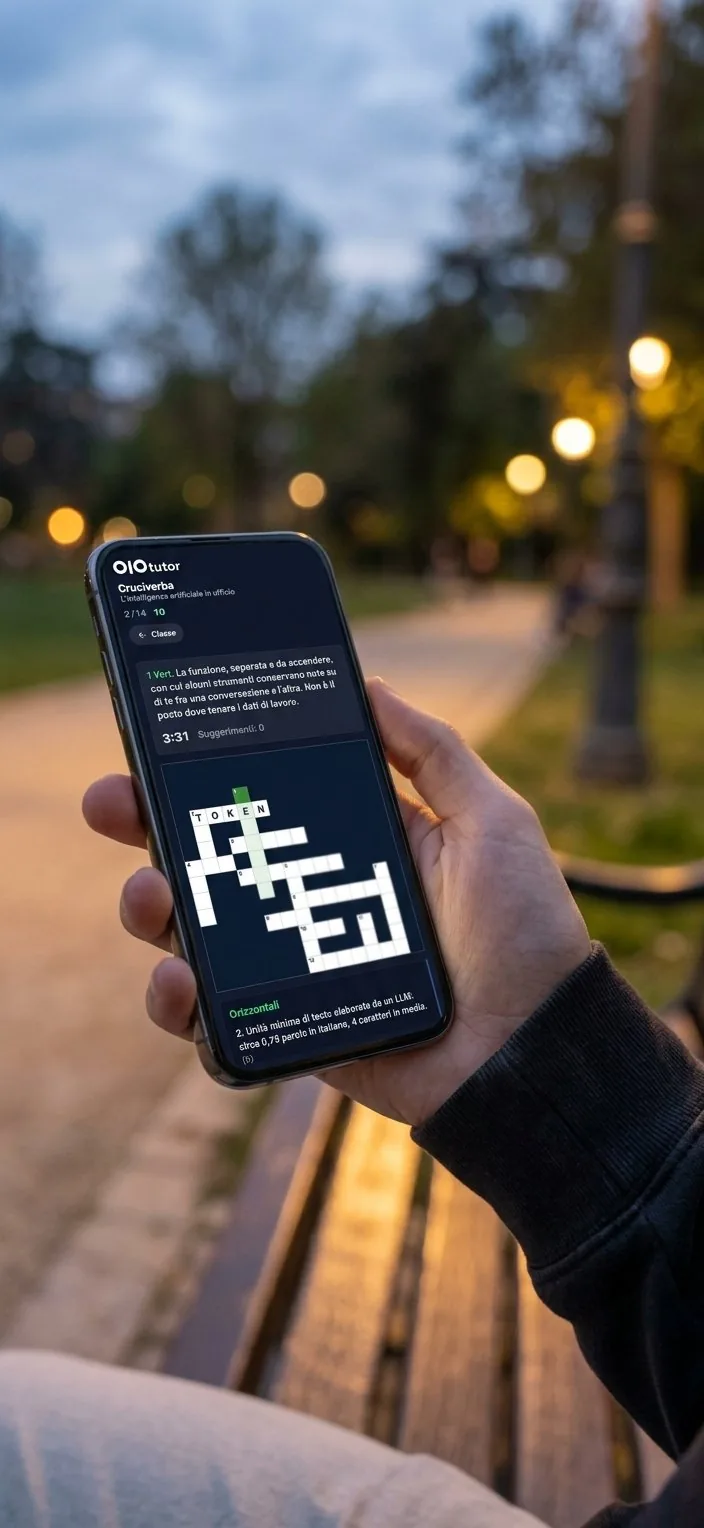
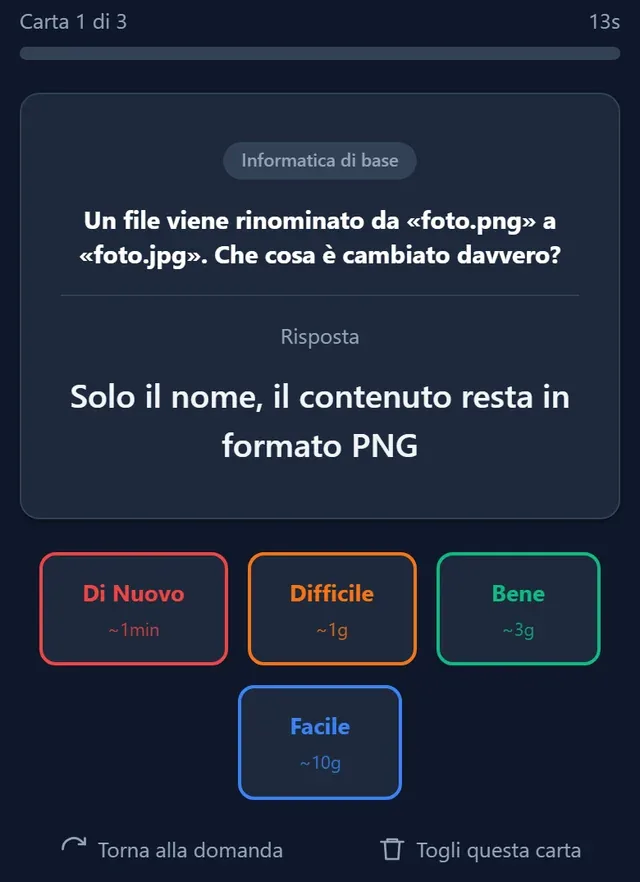
a real card, as the student sees it
Review
Review born from mistakes
Every question from the bank answered wrongly in a quiz or in a class game becomes a review card, which comes back on the day calculated by the FSRS algorithm. For each card the student says how it went, and that answer decides the day the card comes back.
How many days of review?
Move the slider: every day at most 5 new cards arrive, counting all courses.
The same load for everyone
Every day at most 5 new cards arrive, counting all courses, and the cap is the same for everyone, so those who are further behind don’t get more work than the others. In the queue, topics alternate instead of arriving in blocks.
review from mistakes is switched on by the teacher, course by course.
Practice and certainty
Which answers they knew and which they guessed
Practice is a quiz you can redo as often as you like, and after each answer the «Check» button shows right away whether it was right. A practice lesson only counts as done when the student passes the quiz.
In quizzes where the teacher asks for certainty, the student chooses the answer and then states how sure they are: «I know the answer», «I think it’s this one» or «I’m guessing». On submission they see the answers split into four boxes: solid knowledge, wrong conviction, luck or a hunch, gap.
certainty never counts towards the grade: it pays to be honest about it.
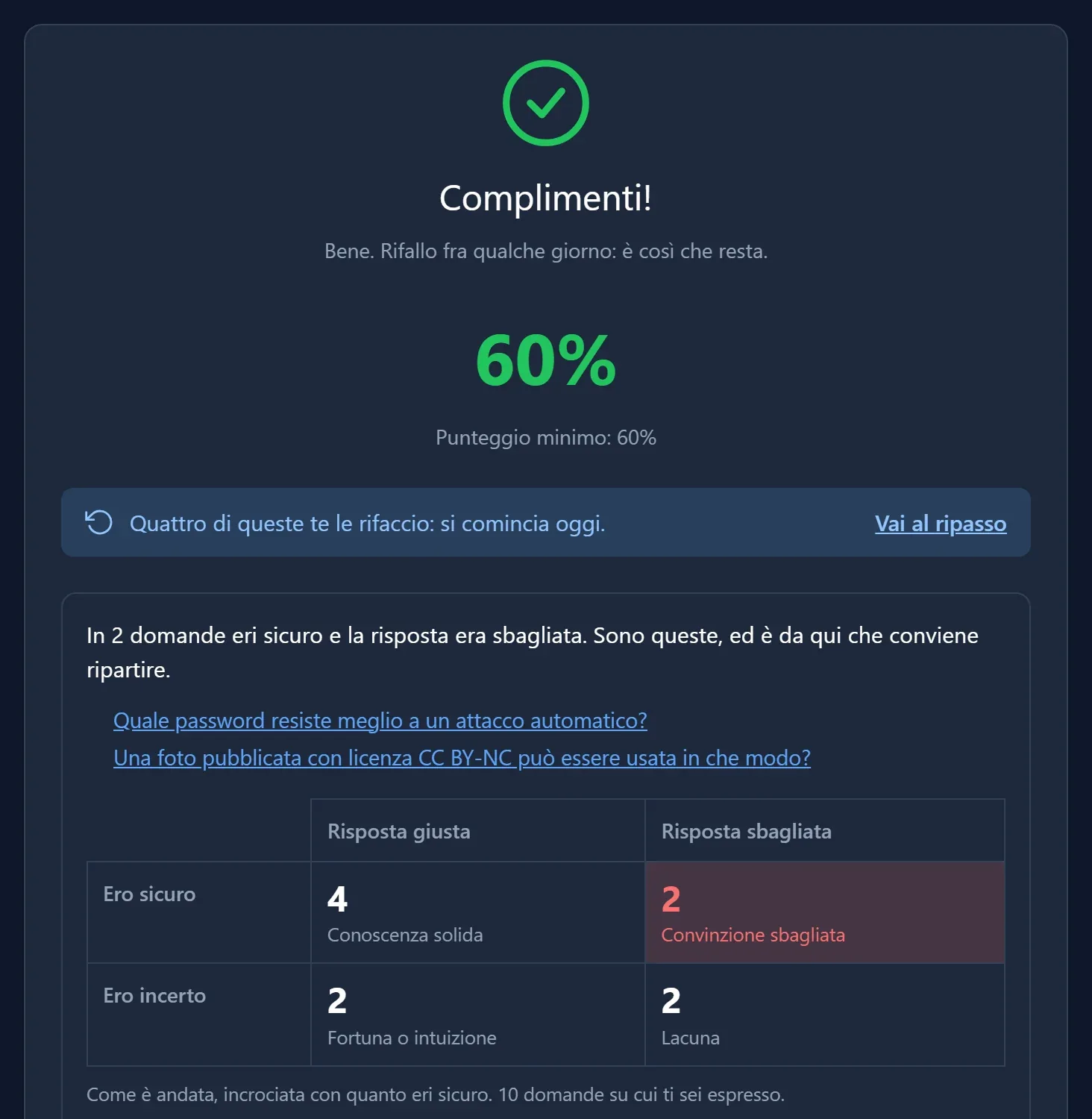
tap the points on the photo
In the room
The classroom from the phone, or with a card
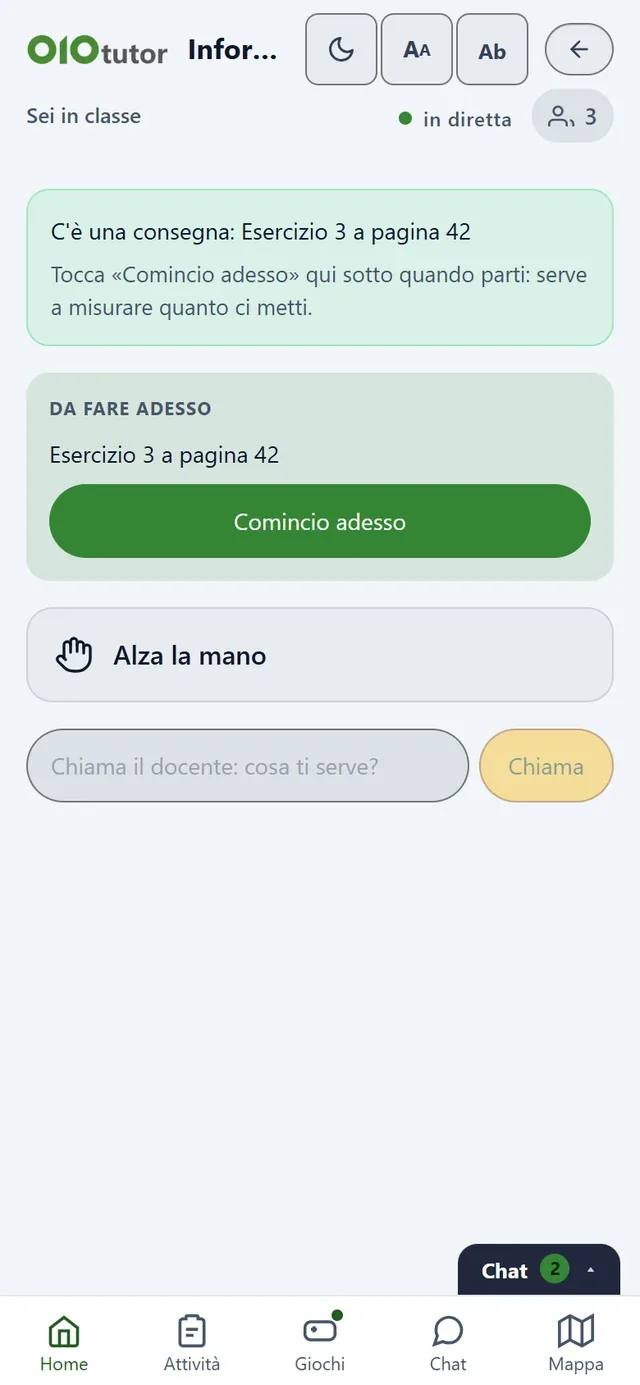
Students join the classroom opened by the teacher with a 6-character code or by scanning the projected QR code. From the phone they raise their hand, answer «Are we on track?» and take part in class games, and mistakes on questions from the bank end up in their review.
Where phones aren’t allowed, the student answers by turning a printed card, which they keep, and the teacher collects the whole class’s answers by scanning the room. Students also check themselves in, with the QR code or by tapping their phone on the room’s tag.
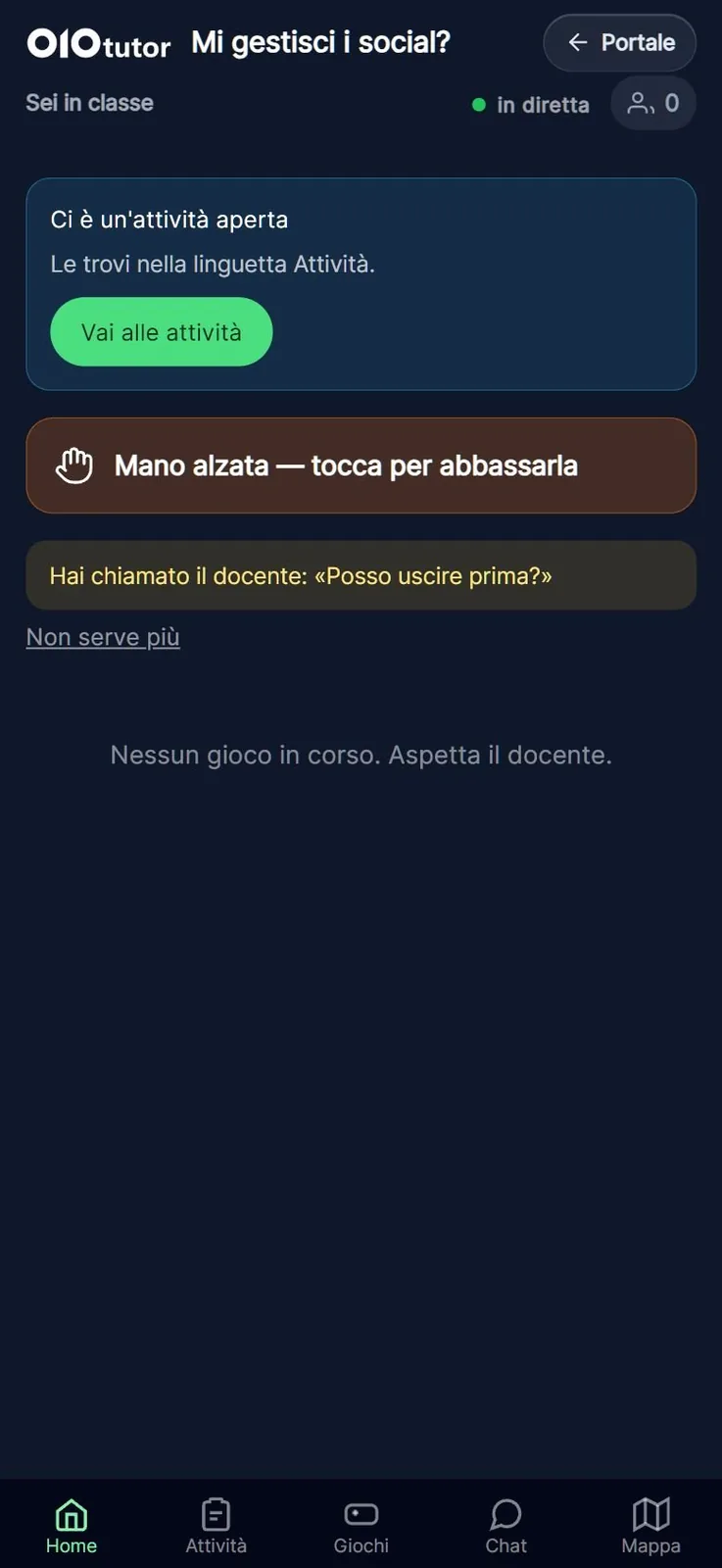
And then
The other features
Bites
Flipped lesson
Assignments and peer review
My files and portfolio
Badges and leaderboard
Display controls
The same data, from another chair
The same features, seen by the other two roles
five features, three points of view →
Review from mistakes: mistakes in quizzes and games come back to students without preparing anything.
Certainty: sees widespread wrong ideas, question by question.
Practice and graded test: separates exercise from assessment in the same tool.
Attendance: takes the register by the hour, also with the QR code, the room tag or a snapshot of the cards.
Families: receives the absence notes to accept.
Review from mistakes: a documented method, spaced repetition, applied in the same way in the courses where the teacher switches it on.
Certainty: data about the class that never counts towards anyone’s grade.
Practice and graded test: statistics, families and tutoring count graded tests only.
Attendance: the hours of the day saved with each record, a consistent register, absence notes online.
Families: read-only access, tracked relationships, an access log.