
For the school
Register,
averages, attendance
and families.
By «school» we mean the head, the office, the coordinators and, in a training provider, the management. OLOtutor calculates averages and attendance in one place, cuts the office’s September workload, gives families a read-only view and can be adopted starting with one class.
Up to 3 logos
ESF · PNRR
The signatory
The same figures as on screen
scroll: the printed register rises from the desk
six places, one calculation
Averages and report cards
One calculation for the average and for attendance
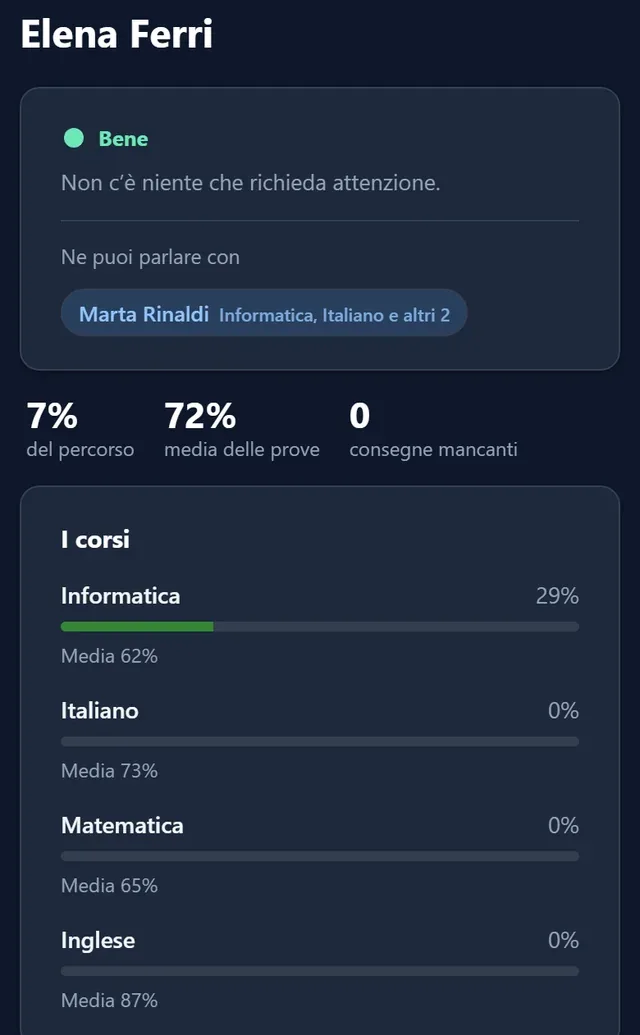
The average shown in the register, printouts, report cards, class overview, statistics and family screen comes from the same calculation, and so does attendance. When a parent disputes an average, the school shows how it was calculated, with the name of the strategy and the weight of the categories.
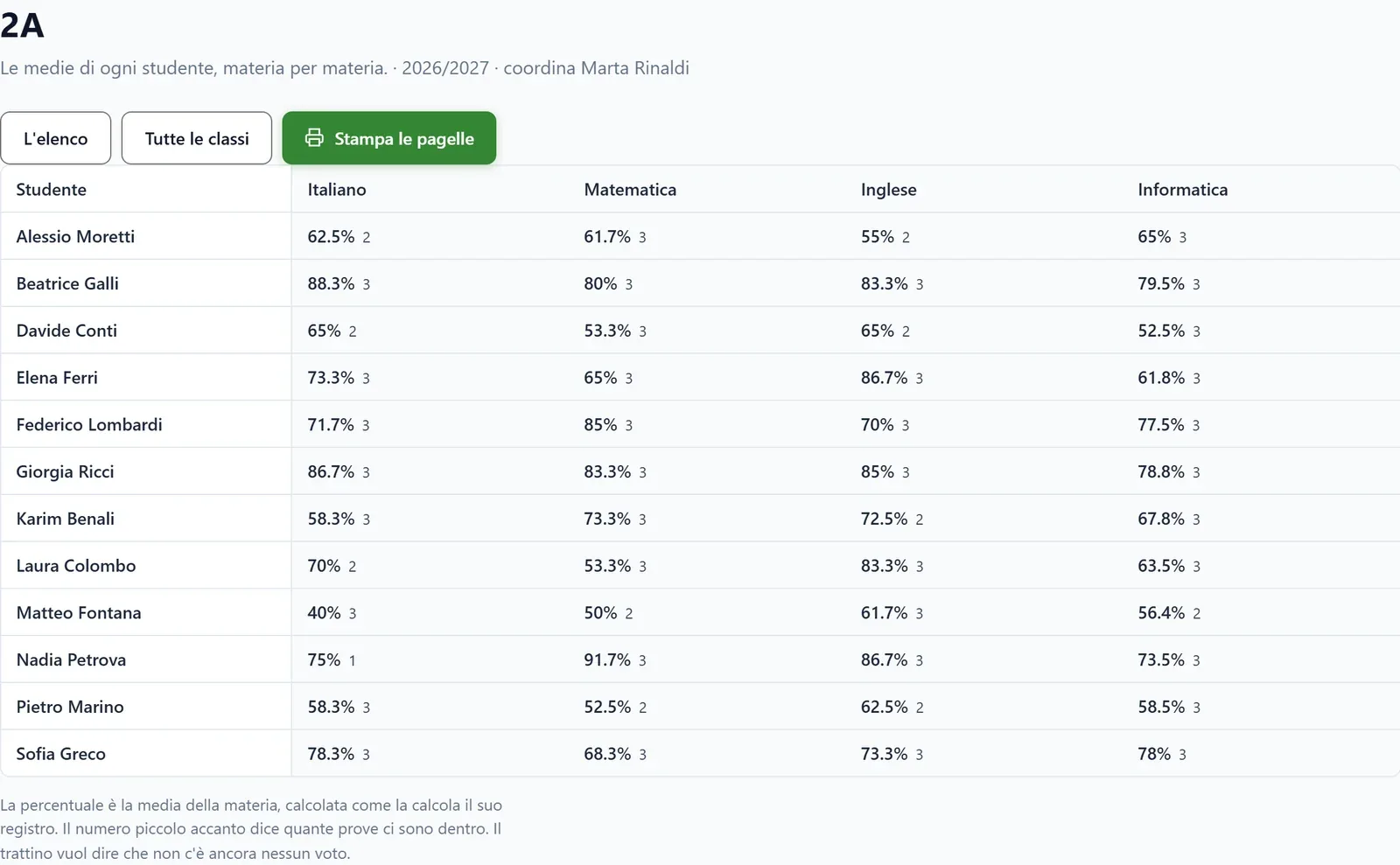
The class overview puts students in rows and subjects in columns, by term, and report cards are printed from there. Averages are percentages.
Organisation
The class list and the subjects a student doesn’t take
Exemptions, such as religion for those who opt out or a different second language, are written once, and the class overview stops flagging them as missing enrolments.
The hours of the school day, closures and the periods of the year are written once for the whole school. To log in with the school account, the school first registers the application with Google or Microsoft.
written once, valid for the whole school
Attendance and registers
Hourly attendance and registers with the school’s letterhead
Each course counts attendance:
The hours of the day are saved on the attendance record, so a timetable change in January doesn’t alter October’s attendance.
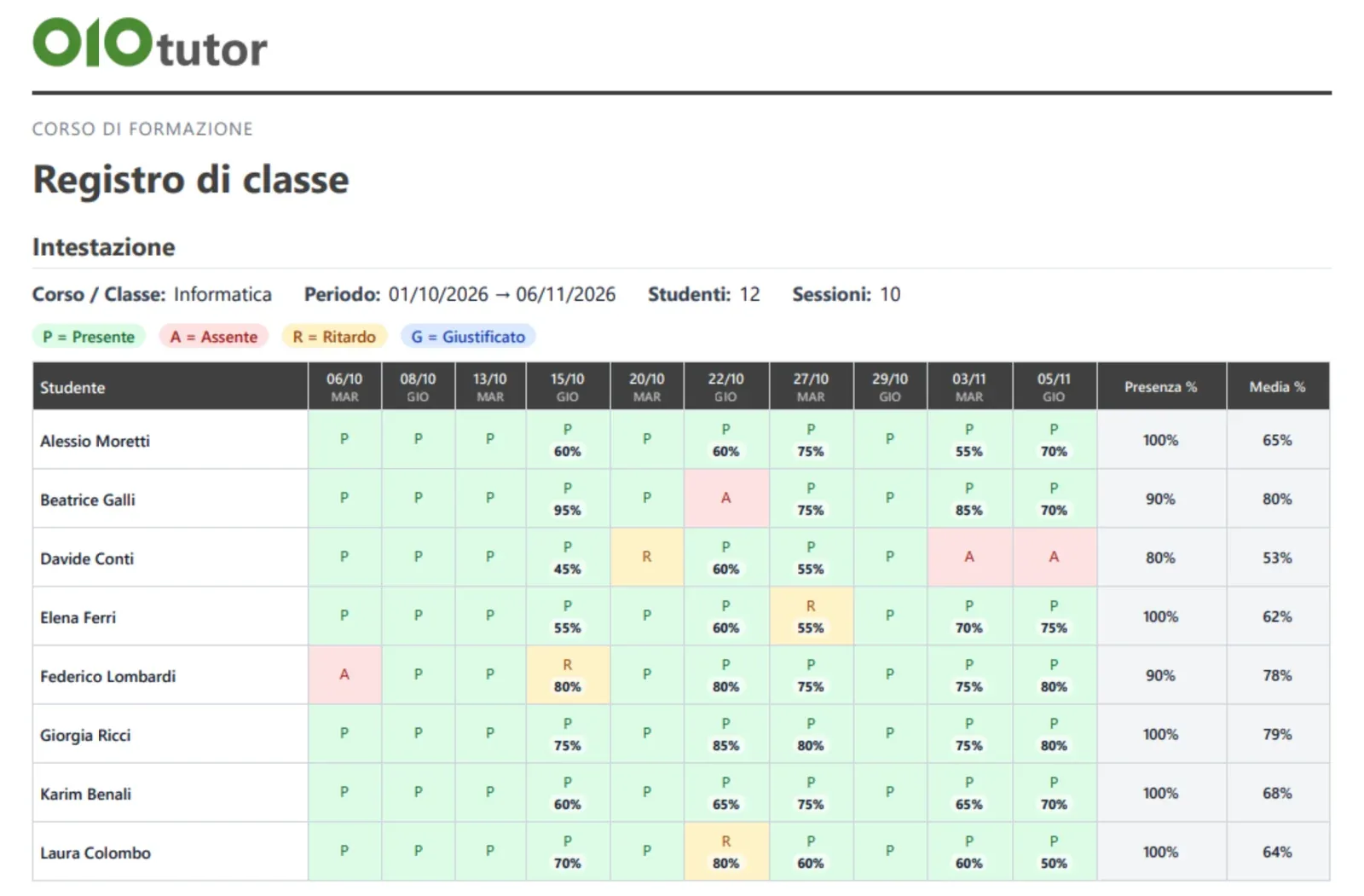
The class register, the grade register and the attendance register are printed with a letterhead carrying up to 3 logos, the funding statement (ESF, PNRR) and the signatory, with the same figures as on screen.
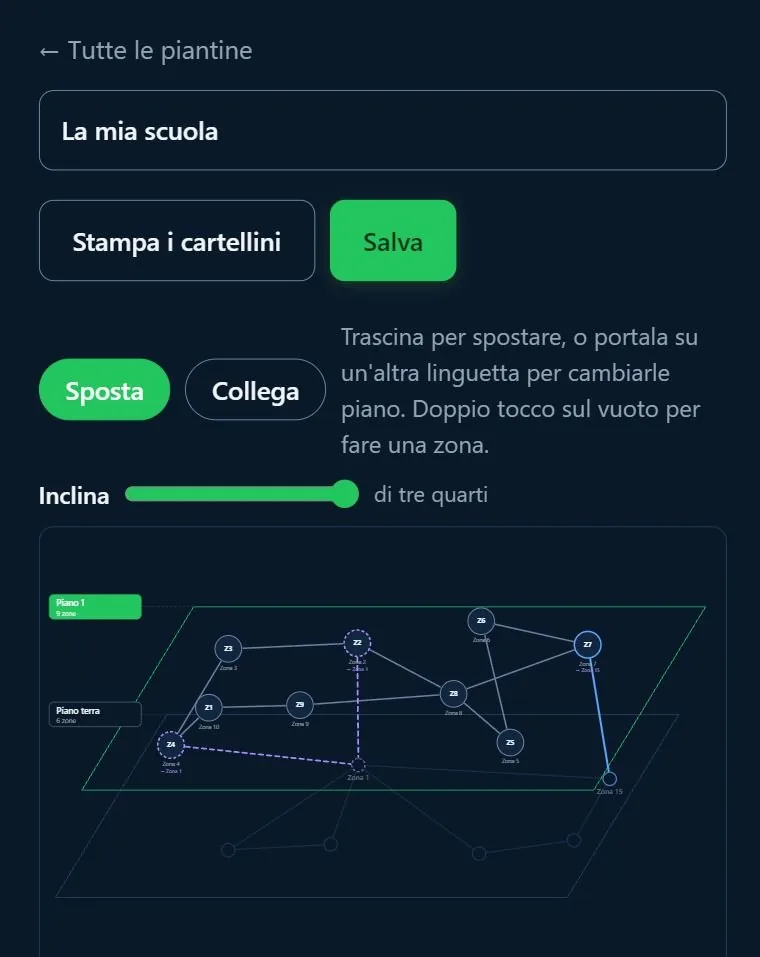
the school floor plan, with the tags to print
Families
What a parent sees, and what they don’t
The parent, legal guardian or foster carer receives an invitation and chooses their own password, which the school doesn’t see. They can justify an absence, and the teacher accepts or rejects it.
For each child they see
They don’t see
Every time a family member or a tutor opens a student’s data, a line stays in the access log, kept for 24 months, and the student sees in their profile who follows them.
Italian Law 170/2010
Extra time, up to double
A percentage of extra time on every timed test, up to double, for the compensatory measure provided by Italian Law 170/2010.
A timed test
Move the slider to the length of the test: extra time goes up to double.
And then
The other features
Roles and permissions
Mentoring
Extra time
Certificates
Accessibility and languages
Gradual adoption
Training providers
If the institution is a training provider
For a training provider, what matters more is attendance by actual duration, training units numbered in order within the class, the declared total hours next to the scheduled hours, the minimum time spent on lessons, ESF and PNRR letterheads, and enrolment on approval or paid.
The certificate shows the course’s total hours and the hours attended, counted from the register without justified absences. In face-to-face courses it goes out by itself the day after the course ends, to those with enough attendance, and the teacher can issue it earlier with a button.
The QR code on the certificate
It opens a verification page that can be read without logging in: it says who it was issued to, for which course and when, with how many hours, and whether it is still valid.
Good to know before you start
Operating notes and limits
we say it upfront, rather than letting you find out later.
The ministry register
OLOtutor keeps lesson topics, disciplinary and teaching notes and the class assessment meeting, but it is not connected to the Italian ministry’s systems: in a state school the ministry’s electronic register is still required, and the official end-of-term assessment is closed there.
Accessibility, in writing
The work on WCAG 2.1 AA criteria has been done and measured, but the EN 301 549 conformance report to attach to the AgID accessibility statement does not exist yet.
Live games
A game works well with 50 simultaneous students without the additional real-time service, and with 100 using it.
The same data, from another chair
The same features, seen by the other two roles
five features, three points of view →
Review from mistakes: knows what to review every day, with the same load for everyone.
Certainty: sees which right answers were luck and which mistakes were convictions.
Practice and graded test: practises without the practice counting.
Attendance: checks in on their own with the QR code or the room tag.
Families: sees in their profile who follows them from home.
Review from mistakes: mistakes in quizzes and games come back to students without preparing anything.
Certainty: sees widespread wrong ideas, question by question.
Practice and graded test: separates exercise from assessment in the same tool.
Attendance: takes the register by the hour, also with the QR code, the room tag or a snapshot of the cards.
Families: receives the absence notes to accept.